Tuesday, 13 November 2018

E-Commerce Shipping Solution for Small Startups

E-Commerce Shipping Solution for Small Startups

Hello Everyone!
How are you all?
Writing this post after a long time. 
Recently I tried to start my Own online business. I found a lot of difficulties, as I don't have a GST number and I was not aware about the shipping process. 

I tried to search all over my city for shipping with COD (Cash On Delivery) facility. I talked to India Post, BlueDirt, Fedex, DHL and DTDC too.They all said they will not provide COD facility to a startup company.

I researched harder. I found the solution.

There are Three major E-Commerce shipping solution companies.
They are- 1. Ecourierz
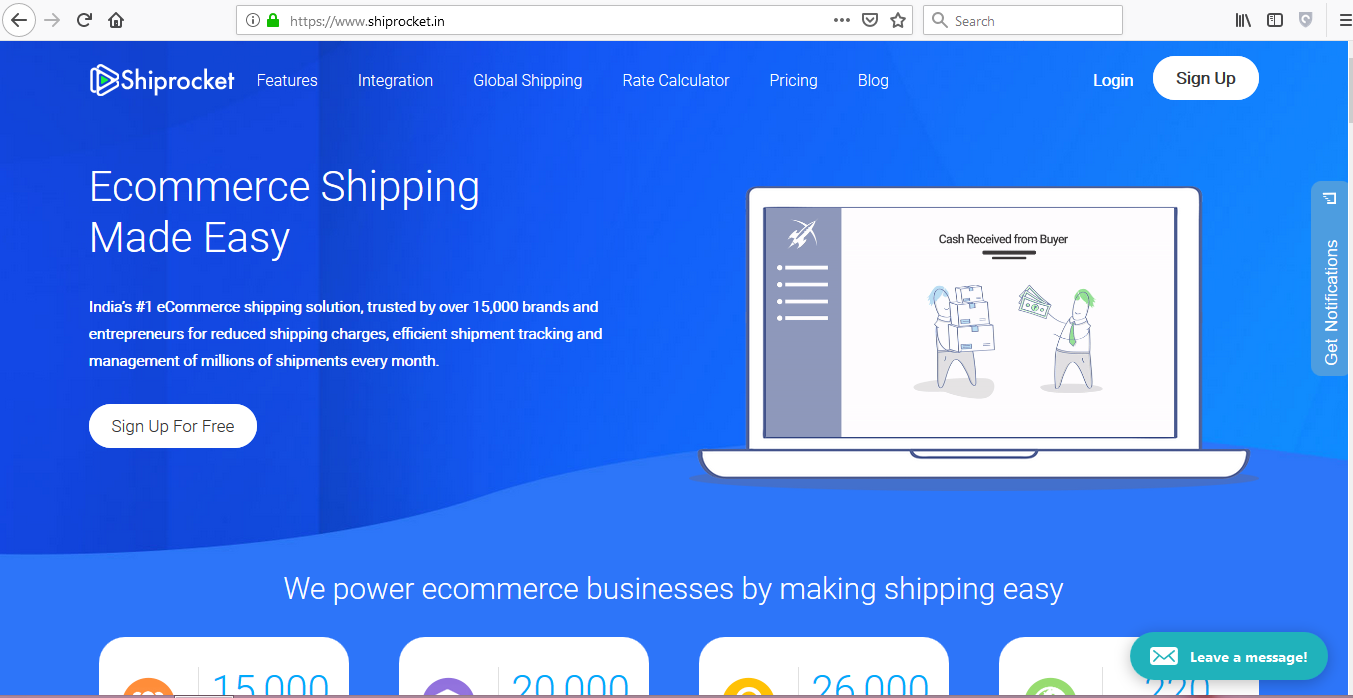
                2. Shiprocket
                3. Shyplite

I will discuss about all of them in this blog.


Ecourierz:


ecourierz.com is a shipping provider company where you can get different logistic partners who will provide you COD and drop shipping facility.
There is no subscription plan. Just you have to register yourself with 1499rs and that will be used as Top-Up which can be used later for booking purpose.
To check the prices you can use their demo account.

Username: demo@ecourierz.com

Password : password


Shiprocket:


Shiprocket.in is also a very good shipping provider company. The advantage is you can register yourself without giving any money. But it also has some problems like, you will not get any customer support from them in the free mode.
To get customer support you have to pay subscription charges which starts from Rs. 2000. and you can not use this money.


Shyplite:


shyplite.com is also a shipping provider company. I don't know if it is good or bad but the reviews are not good about this company.


So, I tried to guide you as much as possible by me. Market research is mandatory before starting any business. Work hard. and do remember that this review is according to my own perspective. You can feel in a different way also while using it. Comment below if i mentioned any wrong terms.

MSME registration and GST registration process is going to come in my upcoming posts. Stay tuned.

Thank You for reading.... 😊


Wednesday, 24 October 2018

How to Restore Deleted Files From Your Windows Computer

How to Restore Deleted Files From Your Windows Computer

My friends often asks me that if they have deleted any file from their system then is it possible to get back those files?

I say....

"YES"
it is possible.

When we delete any file from our device memory it actually don't get deleted at that time. After deletion when we try to store another file then the new file takes the position of the old one and the old file gets deleted permanently. 

So, by using some software we can get back those deleted files before another file takes their place.

Some famous well known software are LIVE 7, LIVE 10, Active file recovery ETC.

Will upload more posts related to file recovery and how to use the above mentioned softwares later in this blog.

Till then enjoy the rest moment of your life.

Time and life is precious, Once gone, Can never be bought.


Friday, 17 August 2018

System Is not Booting Up, Meaning of different Beep Patterns Of GIGABYTE Motherboard

System Is not Booting Up, Meaning of different Beep Patterns Of GIGABYTE Motherboard


This happens with us many times, that our system don't boot up at all and keeps making anonymous beep sounds.

As this happens very rare, we usually fail to remember what each beep says about the system condition.

So here are the list of common beep codes of a GIGABYTE motherboard.

A) AWARD BIOS 

1. 1short beep :System normal
2. 2 short beep :CMOS Error
3. 1 long beep and 1 short beep:Memory error
4. 1 long beep and 2 short beep:Graphic card error
5. 1 long beep and 3 short beep :AGP error
6. 1 long beep and 9 short beep :Memory Error
7. Continuous long beep :Memory not correctly installed
8. Continuous short beep :Power supply unit failed

B) AMI BIOS 

1. 1 short beep :Memory Error
2. 2 short beep:Memory parity check error.
3. 3 short beep :basic memory 64K address check error
4. 4 short beep :Real Time Clock malfunction .
5. 5 short beep :CPU error
6. 6 short beep:Keyboard error
7. 7 short beep :CPU interruption error
8. 8 short beep:Graphic card error
9. 9 short beep :Memory error
10. 10 short beep :CMOS error
11. 11 short beep :CPU cache memory malfunction

These codes are only applicable for GIGABYTE motherboards. I will upload the solve or solution for each of this problems later in my blog.
Till then Try to search in Google With the specified problems given in the list.

Wednesday, 8 November 2017

kebidu sku024321 802.11n wifi adapter realtek 8188 driver

kebidu sku024321 802.11n wifi adapter realtek 8188 driver Download

I recently bought a wifi adapter of model number sku024321 and tried to install it in different OS.

On windows 10 it installed correctly without using any external software. But ......
Problem started when I tried to install it in windows 7.
I searched on the internet and i found lots of users found it difficult to install its driver. 
In this article you will get the software to download it. 
and
also a pre downloaded driver file for 32 bit windows.

So, here are the steps to download and install it using software.

Step 1: 

Click on this link. Click here

Step 2:

Install it.

Step 3:

Run and click on "Download and update" from the left pannel.

Step 4:

Click only on one driver which is not installed. click on download.

Step 5:

Now click on install. 


That's it. Now enjoy your 802.11n 150mbps realtek 8188 adapter freely.

For manual installation, the file for 32bit OS is given here.

click here to download manual file for 32 bit OS.

Saturday, 10 June 2017

How to Crack Original Windows 7 Ultimate

How to Crack Windows 7 Ultimate

Friends Previously I posted 1 Trick To crack Windows 8, 8.1 and windows 10. But that trick wasn't worked for windows 7. So, here is the trick to crack windows 7 ultimate.


Many of you have windows 7 original version. and you got this error message that windows is not genuine.
So, here are 2 tricks given below to fix this problem.

1. Using SLMGR -REARM

  • Go to start button.
  • click on search and type 'cmd'
  • right click on cmd and click on run as administrator
  • the type in command line
  • SLMGR -REARM
  • then hit enter
this will remove the windows is not genuine error for 30 days.
It may not work for 64bit versions. then you just have to try typing SLMGR /REARM

2. Using windows 7 loader

  • In this process you just have to download a file given below.
  • just download it.
  • extract the files. (You must close your antivirus program before extracting the files)
  • run the .EXE file
  • then click on install.
  • this will make your windows 7 ultimate a genuine one. 
and you don't have to activate it again.
(if you see an error while downloading that the file is virus infected. then just ignore everything and download the file)

If you have liked the the post please give a like to our facebook page. Subscribe tor our youtube channel. 
Have a great day thank you. You can give a comment or you can share your problems in comment section below. Thanks for reading. :)

Saturday, 20 May 2017

How to Fix and Recover "Unidentified" Image in Canon Powershot Cameras Recover Corrupted Files

How to Fix and Recover "Unidentified" Image in Canon Powershot Cameras

This method can also be used to Recover deleted and corrupted files from your storage device.

If you are using Canon digital cameras such as canon powershot A3200IS, A3300IS, sd1400, sd1100, s1, sx130, sd500, IXUS 700, SD790IS, SX280HS, S95, S100, G10, SD1200, SD750, you may see memory card error and this "unidentified image" message shows up. So how to fix the "unidentified image" error and recover all photos videos and other files on Canon camera memory card?

When you see this canon digital camera error, you better stop using the canon camera immediately. Take out memory card from canon digital camera and put the card at a safe place so that later you can use the memory card to recover lost photos and videos.

You will then need to download a canon digital camera data recovery software which can be used to recover deleted formatted corrupted photos video media from canon digital cameras. Asoftech Photo Recovery and data recovery program has been the best Canon camera recovery tool which can recover lost deleted formatted corrupted files from all canon cameras.

Even If you want to get back your corrupted or deleted files then also use this method.

Download Canon digital camera photo recovery software for Free
Download from: Canon File Recovery Software

How to recover corrupted files...

Step 1. Take out memory card from canon camera and connect it to computer with a card reader, and then check the drive letter (e.g. E:) assigned to Canon camera in Computer.
Step 2. Run Asoftech Data Recovery software, and then select Canon camera drive letter in Asoftech Data Recovery, and then press "Next" to start scan the camera memory card.


Step 3. You will see lost photos videos shown in result page. Select those you want to recover, and click "Recover" to save them.


Download Asoftech data recovery and recover missing photos videos from Canon digital camera before it's too late.

If you want to recover corrupted files from your SD card or Flash drive then use the same process.
If you liked it Please like our facebook Page. subscribe on youtube. Thank you.
 

Friday, 24 February 2017

Top 12 Websites to Download Paid Android Apps for free

Top 12 Websites to Download Paid Android Apps for free

Guys here is a complete list of sites where you can download paid android apps for free. So, guys enjoy the taste of free apps by clicking on these links.

1. Hiapphere.com

www.hiapphere.com is one of the best sites where you can search for many of the current trending and easily downloadable online APK files for free of cost. So you need not spend or waste your money to buy / purchase or pay for any app that is provided there in the store. The price is absolutely zero. This site has been collecting many .apk files quite for a longtime and you can called it a repository or a storage place for awesome and useful android .apks.

2. 9apps.com

www.9apps.com is most famous for download free apk files. where you can download lots of free Android apk files that are useful and are easy to setup. There are hundreds of Games and other cool freeware that you can try for yourself.

3. Apk4fun.com

www.apk4fun.com is where you can download tons and lots of free Android apk files that are useful and are easy to setup. There are hundreds of Games and other cool freeware that you can try for yourself. you can search apps by category. You can also download paid apps free.

4. Apkmirror.com

www.apkmirror.com is where you can download tons and lots of free Android apk files that are useful and are easy to setup. There are hundreds of Games and other cool freeware that you can try for yourself.

5. Revdl.com

www.revdl.com has been collecting many .apk files quite for a long time and you can called it a repository or a storage place for awesome and useful android .apks. You can get access to browse about more than 1500 + apk files through this website that is working or acting as a portal for fully functional apps.

6. Play.mob.org

www.play.mob.org You can download apps choosing your mobile android version like 2.1.0 or 4.2.0 or 4.4 or 5.0. You can also download any version of android apps you can also download paid apps free.

7. Androidapksfree.com

www.androidapksfree.com where you can download lots of free Android apk files that are useful and are easy to setup. There are hundreds of Games and other cool freeware that you can try for yourself. You can also search by category to any apps.

8. Oceanofapk.com

www.oceanofapk.com one of the best ways to download or get android apk files free and have them installed on your Android OS devices. The direct download links are provided for the quick downloading of apk files that come along with different utilities to customize or personalise of your Android device homescreen.

9. Apk4market.com

www.apk4market.com offers free Android APK Apllications, Games, Launchers, Wallpapers and Themes. We offer only those Apps and Games which are easily available all over the internet.

10. Apkreal.com

www.apkreal.com is best site for download pro apps like a paid apps this type of apps you can download free.you can download lots of free Android apk files that are useful and are easy to setup. There are hundreds of Games and other cool freeware that you can try for yourself.

11. Blackmart:

The king of the android market and the best store to download nearly all free and paid apps, Blackmart is a must need for all Android Users who want to taste every android app. The app is also highly customized and user-friendly, having categorical divisions of Android Apps just like you see on Play Store. You can sort apps by Free or Paid, or Just Paid only, helps in case you wanna see the top paid apps. Apps can also be sorted by ratings, bringing you the popular ones to the top.

12. 1Mobile Market:

Another beautifully designed Market, which has a big collection of paid and free apps. New apps are added there manually and you can even find paid apps there. Well, You can see 1Mobile Market on Google Play too, but that version is different version having limited access to only free apps, and always redirects you to Google Play to download them. This is just to not violate the Google Play Terms and Conditions.

Enjoy. Don't forget to like and share. Have fun......

17 of the coolest hidden Google tricks

 17 Coolest Hidden Google Tricks:

Guys here is a list of some Google fun tricks. Have a look. There are some more and will be updated soon.

1. Walking to Mordor:


If you’ve ever watched The Lord of the Rings: The Fellowship of the Ring (or just seen various versions of the meme) you may never stop laughing at this Google Maps quirk (or maybe it’s just me). If you try to get walking directions from “The Shire” or “Rivendell” to “Mordor” (just type in the words and ignore all the auto-complete suggestions that pop up), Google will give you the route… and a warning. In other news, according to my Google Maps, Mordor is located just outside Cape Town, South Africa. Nice.
2. Barrel roll:

Endlessly entertaining, this one trended worldwide on Twitter in November. Simply search “do a barrel roll” — if you have Google’s instant results functions enabled, your results page will be spinning before you’ve completed the instruction.
3. 42:

What is 42, you ask? Geez, it’s only the answer to life, the universe and everything. Ok, so if you’ve never read or watched The Hitchhiker’s Guide to the Galaxy, you won’t get this one. But Google’s built-in calculator will.
4. Gravity:

If, by any chance, you feeling like searching “Google gravity” and hitting “I’m feeling lucky”, don’t be surprised if Google comes crashing down around you the second you move the mouse. (Hint: you can disable Google’s instant results in your account preferences page to make sure you get the ‘I’m feeling lucky’ option).
5. Recursion:

Google pokes fun at its own “did you mean” suggestions if you search recursion (repetition or returning) by questioning your spelling even though you didn’t make a mistake.
6. Klingon:

So “GoogleDaq ylnej” means “Google search”. Hmmm. Who knew? Well, you, if you speak Klingon. Yes, there is a Klingon version of Google. There is also a pirate and Elmer Fudd version, if that’s more your thing.
7. Kerning:

Designers will love this one — kerning is the spacing between letters in a word. When you do a search for kerning, Google changes the spaces between letters in the word ‘kerning’ in all the results. Heehee. You see what they did there?
8. Hello, Nessy:

Picture this: You’re working under a tight deadline, your clock is slowly counting the minutes past 3AM and your coffee and Red Bull combo is failing. The sleep deprivation is starting to affect you — you are starting to see things. You click to your home page, and there, rising gracefully from the dark waves in your iGoogle theme, is the Lochness Monster.
No, you’re not hallucinating — you really did see Nessy. If you are ever awake and online at 3:14 AM (those are the first three digits in Pi, by the way), and have the iGoogle beach theme installed, Nessy will come to visit for a minute. If you’re not an insomniac, you can always just change the timezone on your computer and in your iGoogle settings and just wait until 14 minutes past the hour (I was in Bangkok last night, as far as Google knows). Unfortunately, it looks like the monster will be no more after iGoogle is retired in November 2013.
9. Nagging Rams:

Similar to the ‘recursion’ response, if you search for ‘anagram’ (rearranging the letters in a word to make a new word or phrase, in case you didn’t know), Google rearranges the letters to suggest you were really searching for ‘nag a ram’.
10. Antarctic Penguins:

If you ever want to creep the Antarctic on Google Maps, you may be surprised to find the little orange peg man you drag and drop to change to Google Street View has transformed into a fat little penguin. Awwww.
11. Doodles:

What do you get if you don’t actually search for anything, and just hit ‘I’m feeling lucky’? A catalogue of all the Google doodles — all the way back to 1998. There were just three in that year — there have already been 69 in 2012.
12. Konami ninja:

If you type in the Konami code (a cheat code used in Konami games) in Google Reader, the side panel will turn blue and a cute ninja will appear on the left of your screen. Use your arrow keys and keyboard to enter the code — it’s up, up, down, down, left, right, left, right, followed by the letters B and A. Like iGoogle’s Nessy, this one is going away after Reader is retired in July 2013.
13. Street View team:

Ever wanted to see the people who work at Google doing cool things like Google Street View? Well, if you hop along to the back of the Google offices in Mountain View, you can see them all.
14. Laundry:

There are a lot of things Gmail can do for you — filter spam, flood you with ads, apply a plethora of pretty coloured labels to your messages — but, as yet, it can’t do your laundry.  However, it is an option on the ‘suggest a feature’ page for Gmail.
15. Pacman:

It started out as a Google doodle to commemorate the 30th anniversary of Pacman in 2010, but the Google Pacman game was so popular, it was given a permanent home.
16. Zerg rush:
Zerg rush
Google “zerg rush” and prepare to defend your browser against hordes of the letter ‘o’ in Google’s logo, which will start to destroy your search results. They’re apparently undefeatable, but you can try to fight them off by clicking on them and share your high score on Google +. For those who aren’t familiar with StarCraft, a ‘zerg rush’ is a tactic where swarms of aliens known as ‘zergs’ descend in multitudes in order to overwhelm their enemies.
17. You’ll never find Chuck Norris
Chuck Norris google
Because Chuck Norris jokes never get old, there is a warning hidden in Google search results to ward off those who dare to attempt to find him. Just search ‘find Chuck Norris’ and hit ‘I’m feeling lucky’ and you’ll see what I mean.

Have fun Guys. Like This Page. Subscribe to youtube channel and don't forget to share.😇😊😉😀

Saturday, 11 February 2017

How to dual boot Windows 7 or 8 with Windows 10

How to dual boot Windows 7 or 8 with Windows 10: Run multiple versions of Windows on the same PC

Sometimes you may want to run different versions of Windows on the same PC. It's easy to do it and we show you how to dual boot Windows 7 and Windows 10.


For most people, running one operating system on their PC or laptop is enough, but in some instances it can come in handy to have two separate versions on a PC. This may be due to specific software that only works with an older release of Windows, simply preferring the way one works, or just wanting to compare the differences between Windows 7 and Windows 10 before committing to an upgrade. Thankfully Windows is designed with dual-booting in mind, and in this feature we explain step-by-step how to dual boot Windows 7 or 8 and Windows 10.
You can create this dual-boot system from pretty much any version of Windows, but for this tutorial we will add Windows 10 to a PC running Windows 7.
See also: How to get Windows 10 now and Should I upgrade to Windows 10?

Before you begin

Obviously you’ll need a copy of Windows to install, and this should be either burned onto a CD or USB stick. Microsoft provides a downloadable version of the Windows 10 ISO on its site, although you’ll still need to activate the OS if you intend to use it  permanently. To turn the ISO into a bootable version you should use the Microsoft Windows USB/DVD Download Tool.
dual boot windows 10
As you’re installing an operating system we recommend you do a full backup of your data, as there's no guarantee something won't go wrong and you wouldn’t want to lose precious files.

How to dual boot Windows: In brief

  1. Create a new partition on your hard drive using the Windows Disk Management Utility.
  2. Place the DVD or USB containing the new version of Windows in your PC, then reboot the machine.
  3. Install Windows 10, being sure to select the Custom option.
  4. Select the newly created partition as the destination for Windows 10. Then click Next to install the operating system.

How to dual boot Windows: In detail

Creating a new partition:
Before you can install Windows 10, you’ll need to make space on your hard drive. This can be tricky if you’re running low on storage, as Windows 10 ideally requires around 20-25GB. Here's how to find and delete large files taking up space. Once you’ve backed up any files that are important you’ll need to go to the Windows Disk Management utility. To do so hold down the Windows key and press R. This opens a box, into which you type diskmgmt.msc and press enter.
You’ll now see a list of the partitions on your hard drive. Select the primary partition, usually called (C:), and then right click to open up the contextual menu, from which you need to select Shrink Volume.
Now you’ll see another window that shows you the size of the partition, and asks you to Enter the amount of space to shrink in MB. To create a 25GB partition you’ll need to enter 25000 then click Shrink. This will modify the partition, allowing you the space you need to install Windows 10.
dual boot windows 10

Installing Windows 10

Place the previously created CD or USB version of Windows 10 into your PC and reboot the machine. You should be taken straight to the installation process, but if your machine goes back to your normal operating system straight away you’ll need to adjust the boot sequence in your BIOS. Check out our guide on How to enter the BIOS to help you achieve this.
When the install sequence starts you’ll need to select the Custom option.
dual boot Windows 10
This opens up a panel which asks you Where do you want to install Windows? From the presented options select the one entitled Unallocated Space, which should be 25GB. Click Apply and once Windows has created the partition click Next.
Now the installation process should go through as normal, and when you reboot your machine you will have the option to choose between the two operating systems. The bonus is that as different versions of Windows still use the same file system, you’ll be able to access your files from either OS.

How To Download Youtube Videos From PC

How To Download Youtube Videos From PC

Have you ever wanted to download youtube videos?

Ok you can find many other websites and softwares rather than this one. I found this one as the most comfortable one.  


YouTube.com is the most popular video hosting resource and the third most popular website in the world. The success of this project owes to its convenience but the latter is limited when trying to download video from YouTube for free. Not every video can be saved using common methods. SaveFrom.net presents the fastest ways to download videos from YouTube, providing the best quality of the videos saved from YouTube. Try it once and you will agree that this is the most convenient YouTube video downloader you ever used!


Here is the link to download this software. Just click on below link.

CLICK HERE TO DOWNLOAD

As soon as the extension is installed, you will be able to download a video right from the homepage. Click the "Download" button and choose one of available formats. Download and enjoy 

How to use VMWARE on windows


How To Use VMWARE on Windows

If you have just installed windows 10 on your pc you should probably noticed that some of the great softwares are not working on it. and you want to use windows 7 back and you also don't want to format your PC. Or, may be you are using windows 7 But You also Want to taste windows 10 at the same time. So, In that situation VMWARE is the only software that may be useful for you.


Download it from here...

https://my.vmware.com/en/web/vmware/free#desktop_end_user_computing/vmware_workstation_player/12_0


 System requirements:

  • Operating System: Windows or Linux 64-bit
  • CPU:
    • To run 32-bit virtual machines: 64-bit; 1.3 GHz or higher
    • To run 64-bit virtual machines: the above requirements along with
      VT-x support if you have an Intel processor (make sure that it is
      enabled in the BIOS), or the above requirements along with long mode
      support if you have an AMD processor.
  • RAM: 1 GB is minimum, but 2 GB is recommended
  • GPU: at least a 16 or 32 bit display adapter (you probably have a
    32-bit display adapter). If you want Windows Aero graphics to work in
    Windows virtual machines, then you should have either an NVIDIA GeForce
    8800GT graphics card or newer or an ATI Radeon HD 2600 graphics or
    newer.
  • HDD space: 3.5 GB is required to install the program alone, but virtual machines will take up even more space.


Check out the video to Understand how to use it.


Tuesday, 24 January 2017

Hack Anyone's Facebook Account

Hack Facebook Account Using Kali Lynux (Brute Force Attack)

Hack Facebook Account Password Using Brute Force 
Hack Facebook Account Password Using Brute Force


The method I am going to use here will be brute forcing, Using World’s Best Passwords Dictionary, CrackStation.


So, First lets know something about Brute force attacks, “A brute force attack is a trial-and-error method used to obtain information such as a user password or personal identification number (PIN). 


In a brute force attack, automated software is used to generate a large number of consecutive guesses as to the value of the desired data.” 

But, In our case I’ll be using a Python script and a Long Dictionary Of passwords. I have personally tried it on myself and it really works . 

Requirement


  • A Kali Machine / Or Any Python Engine Will work! 
  • Facebook.py ( v1 or v2 ) 
  • A FaceBook id Of course 
  • CrackStation Word List! (Download Here


Steps

step 1. Install Python-mechanize using command mention below 

[*] root@root:~#apt-get install python-mechanize 

step 2. Add facebook.py using the command below 

[*] root@root~# chmod +x facebook.py [*] root@root:~# python facebook.py 

step 3. Now enter |Email| or |Phone number| or |Profile ID number| or |Username| of the victim,                                                              


step 4 . Now Give The "Path" Of Your CrackStation Word list 


step 5. Now it will try all passwords present in the word list, So relax and have a cup of coffee because it will take time depending on speed of your processor and password strength of your victim!   

Don't try to use this method in Wrong way. If you have any questions comment below. Give like in our facebook page. Please make sure that you have enabled cookie in your browser to add comment.

How to Activate any Windows and Microsoft Office

How To Activate Any Windows and Microsoft Office

Many people tries to download a cracked windows but it is not always easy to get the actual crack link. Also it is very costly to buy a genuine one. So, Here is the thing that all you need to get a cracked windows or to crack a original one without product key.

Download and Install the KMSauto


Again, I would say that KMSauto is definitely a great program that can help you to activate Windows. This section will let you know where to download and how to use the activator. Follow the step-by-step instructions here.
  1. Temporarily disabled the antivirus and spyware software on your computer including the Windows Defender as some antivirus is sensitive (false positives) to the activator or loader.
  2. Click here to download the KMSauto latest clean version.
  3. Use the compression tools like winzip or winrar to decompress the files to your desktop.
  4. Uninstall any previous version of kmsauto on your computer by running the cmd with admin rights (Right-click and click on Run as administrator file in the downloaded zip folder).
  5. Double-click on the .exe file and begin installing the tool. Click OK if you see the pop-up to accept it

Supported Windows and Office Versions

  • Microsoft Windows 10 Home
  • Microsoft Windows 10 Pro
  • Microsoft Windows 10 Enterprise
  • Microsoft Windows 10 Education
  • Microsoft Windows 8.1
  • Microsoft Windows 8
  • Microsoft Windows 7
  • Microsoft Windows Vista
  • Microsoft Office 2016
  • Microsoft Office 365
  • Microsoft Office 2013
  • Microsoft Office 2010

About Windows Updates

With this genuine activation you can update windows any time you want and you can install any software or app directly from the Microsoft store without getting detected. This loader helps you to keep your genuine activation permanently for life time. This windows activator is totally free open source software.

Features of Windows Activator

  • Genuine Lifetime Activation –  By installing this activator you can activate your windows permanently with genuine Microsoft validation for free.
  • Online Microsoft services – You can create Microsoft account online and use their online services such as One drive, Office 365, Bing Maps, Exchange online, Share Point online etc.
  • Bypasses Windows Genuine Validation – This activation is exactly same as an official Microsoft license and allow you to use their third party apps and also Microsoft updates.
  • 100% Virus free – Our tools fully is open source and community powered which means you are getting a 100% clean tool without any harmful malwares.
Important: If you like MS Windows and MS Office please buy legal and original.this program help to test this products, but recommend you buy legal from creators.